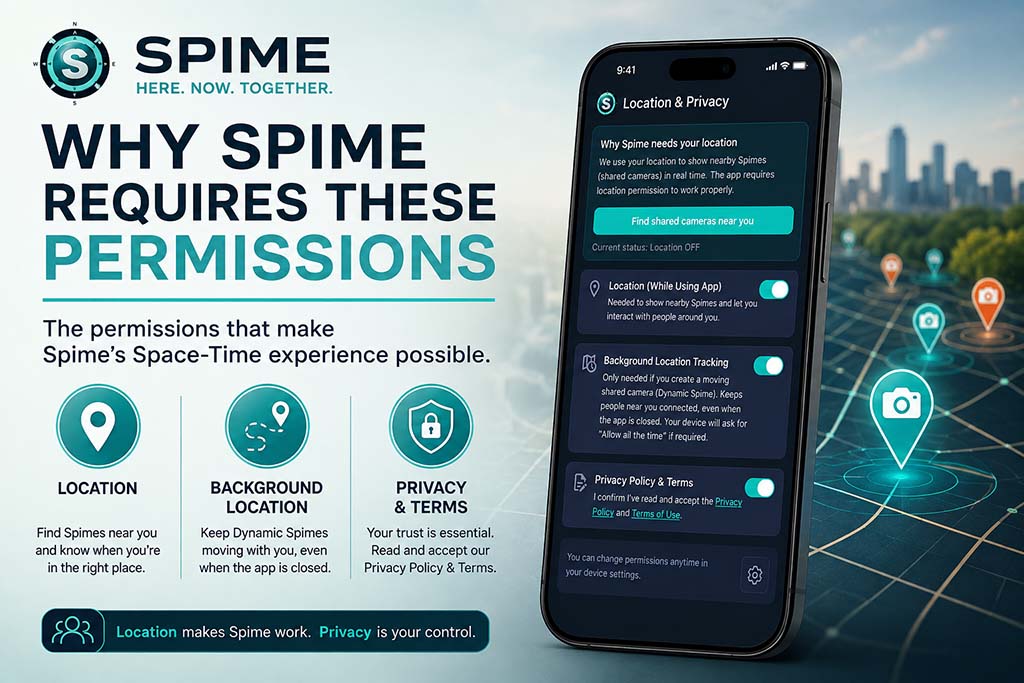
Spime relies on several device permissions to work correctly. Learn why Location, Background Location, Camera and Microphone access are needed—and how to make sure they’re properly enabled.

Why presence and authenticity change everything.
Discover the places, moments and experiences made for Spime.
The story and thinking behind Spime.
How location, time and presence bring people together.
Choose who can discover, enter and participate.
Spimes that move with you.
Learn the basics, find or create a Spime and start capturing.
Explore everything you can do with Spime.
Extend Spime with additional capabilities and higher limits.
Quick answers about Spime.
Free use, Tokens and Premium Membership.
Latest app features, improvements and updates.
Explore Spime posters, videos and promotional resources.
The Spime Difference
Why presence and authenticity change everything.
Made For Moments
Discover the places, moments and experiences made for Spime.
Why I Created Spime
The story and thinking behind Spime.
How location, time and presence bring people together.
Choose who can discover, enter and participate.
Spimes that move with you.
Learn the basics, find or create a Spime and start capturing.
Explore everything you can do with Spime.
Extend Spime with additional capabilities and higher limits.
Quick answers about Spime.
Free use, Tokens and Premium Membership.
Latest app features, improvements and updates.
Explore Spime posters, videos and promotional resources.
Blog
Download Spime
THE SPIME BLOG
Category
Privacy and Security
Spime relies on several device permissions to work correctly. Learn why Location, Background Location, Camera and Microphone access are needed—and how to make sure they’re properly enabled.

Keep your Spime private while granting access to select people, no matter where they are. Learn how to use Spime’s “Hide from the World – EXCEPTIONS” feature.

Master Spime’s visibility settings to balance privacy and exposure. Learn how to use the globe and crosshairs icons for tailored visibility control.
Want to keep a Spime among your own people? Learn how to lock it and give authorized guests access using an Access Password or QR Code.

Discover how Spime’s privacy settings let you control your identity by hiding your avatar and name in future posts.